art → rig-ready
Material separation for Live2D, with AI doing the boring half
* Free to use — selecting, editing and every export run in your browser, and nothing is uploaded unless you start a step that says it will: the AI tools, background removal on its sharper engine (an in-browser engine is one click away under the same button), or upscaling a photograph (logos and flat artwork are enlarged on your device). A free account (Google, Apple or an emailed code — no card) is needed to download the finished file, and comes with credits for the server-side tools.
Cubism wants your character cut into parts on named PSD layers. The coarse cuts (hair masses, face, body, clothing) are exactly what AI separation is good at. Do those in minutes here, spend your hands on the parts that deserve them.
Start separating a characterWhat Cubism actually needs
Live2D's own docs describe the target: hair split into bangs/sides/back, face parts separated (eyes broken into lashes, whites, irises; mouth split for open/closed), body and limbs on their own layers, each as filled raster layers in one PSD. Traditionally that is hours in Photoshop or Clip Studio per character. None of it is creatively interesting work. It is segmentation, which is now a solved problem for the coarse 80%.
The AI-assisted workflow
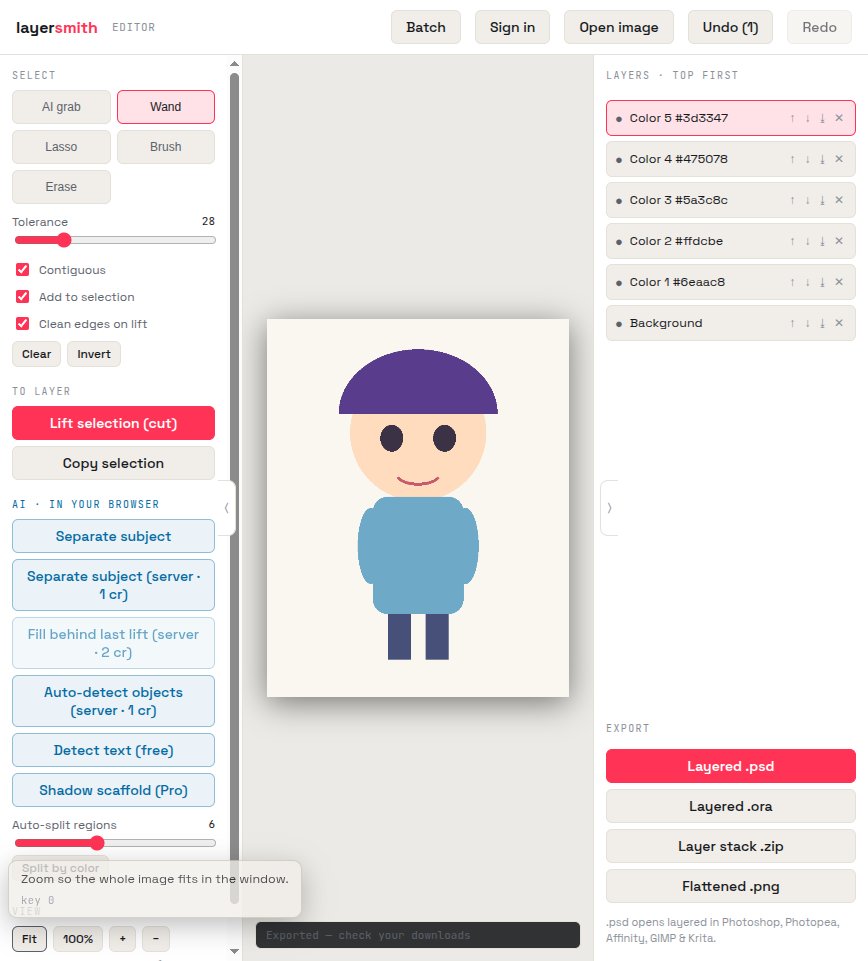
Load the character art. Use AI grab to click out the big masses — hair front, hair back, face, torso, each arm, clothing pieces — lifting each to a named layer; flat-shaded art also responds extremely well to Split by color, which put this test character's hair, skin, hoodie, and pants on separate layers in one click. Rename layers to Cubism's conventions as you go, and export a PSD whose groups arrive intact in the Cubism editor.
What still needs your hands (honesty section)
AI will not correctly split eyelashes from eye whites, or build the closed-mouth interior Cubism wants: the sub-part surgery and the paint-behind work (extending hair BEHIND the face so it can swing) remain manual, here with the brush tools or in your paint app. What you save is the hours of outlining every large region. Riggers we'd be lying to: this is a first-pass accelerator, not a rig generator.
Also works for Spine, Moho, and cutout animation
The same coarse-parts-on-layers preparation feeds any 2D rigging tool — Spine, Moho, After Effects puppet workflows. Export PSD for tools that read it, or the PNG stack for engines that want individual part images.
Frequently asked
Will the PSD open correctly in Cubism?
Cubism requires raster layers with fill, which is what we write. Combine line art and fill per part (Cubism's own requirement), keep layer names clean, and the import is standard.
Can it split eyes and mouth automatically?
Not to Cubism's sub-part granularity — lashes, whites, and mouth interiors need manual work. The AI handles the large-mass separation that eats most of the clock.
Does it handle painted (non-flat) art?
Yes — AI grab works on painted shading. Split by color is the shortcut specifically for flat-shaded/cel styles.
Keep reading
Split any image into editable layersParallax planes for a 2D game backgroundSplit flat art by colour in one clickRelated
Your product photos, as layered files you ownSplit a background into parallax planes for your 2D gameHow PSD layer writing actually worksRemove the object, fill the background, and keep the objectCanva can layer an image now — but only inside CanvaGet image layers into PowerPoint: the clean wayDepth parallax wallpaper layers from your own imageSeparate the subject from the background, and keep both